
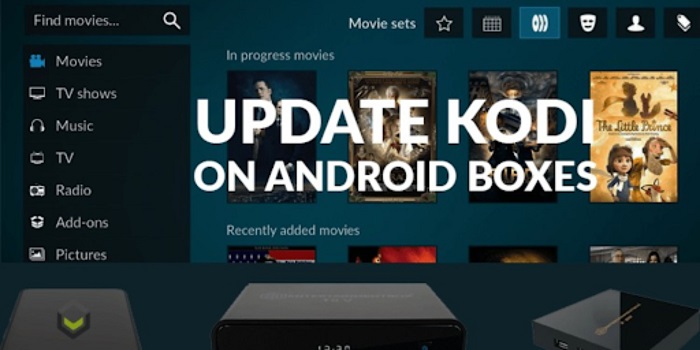
The adaptable media player and entertainment hub Kodi never ceases to enthrall users with new features and capabilities. Regular software upgrades are essential for every piece of software, and Kodi is no different. By keeping your Kodi installation up to date, you will gain access to new features and improvements, ensuring optimal performance. This article will provide instructions on updating Kodi across multiple devices and platforms. Whether you use Kodi on a Raspberry Pi, Windows, Mac, Android, iOS, Amazon Fire TV Sticks, Smart TVs, Linux, or any other platform. We will also provide some troubleshooting tips for updating Kodi.
Embrace the cutting-edge innovations brought by each upgrade and say goodbye to outdated versions. Stay tuned for our detailed instructions on how to keep Kodi at its best.
Let’s get started and ensure your Kodi is updated on every device and platform for infinite fun and smooth streaming.
Updating Kodi on Different Devices and Platforms
Kodi is a powerful media player and streaming application that constantly receives updates to improve functionality, add new features, and fix bugs. Here are 8 different devices and platforms for updating Kodi.
1. Updating Kodi on Windows
- Kodi must first be launched on a Windows machine.
- Click the gear icon (Settings) in the top-left corner to open the System menu.
- To view the most recent Kodi version. Select “System Information.”
- To upgrade Kodi, launch the installer and adhere to the on-screen directions.
2. Updating Kodi on Mac
- On your Mac, launch Kodi.
- Go to the Kodi menu in the top left corner and click “About Kodi.”
- Check out the most recent Kodi release.
- To upgrade Kodi, adhere to the installation instructions.
3. Updating Kodi on Android
- On your Android device. Open the Google Play Store.
- To find the Kodi app. Type “Kodi” into the search field.
- If Kodi has an update available, you will see an “Update” button. The updating procedure will then begin when you merely click on it.
4. Updating Kodi on iOS
- Your iOS device should be displaying the Apple Store.
- Simply put “Kodi” into the search bar to get the Kodi app.
- If a new version of Kodi is available, click “Update” to download it.
5. Updating Kodi on Amazon Fire TV Stick
- In your Amazon Fire TV, open the main screen. Under the settings section, look out for
- “ My Fire TV.”
- To check for a system update for Kodi on Firestick. Select “About” and click “Check for System Update.”
- After checking for updates. Come down to the home screen. To the “Search” icon.
- Select the Kodi app after typing “Kodi.”
- Select “Update” to install any available updates for Kodi.
6. Updating Kodi on Apple TV
- On your Apple TV.Open Apple Store.
- Then search for Kodi and select the Kodi app.
- Suppose there is an update available for Kodi. Install it by tapping on the “Update” button.
7. Updating Kodi on Smart TVs
- Your Smart TV should now be in the app store.
- Select the Kodi app by performing a “Kodi” search.
- Follow the on-screen instructions to upgrade Kodi. If an update is available.
8. Updating Linux using Kodi
- Depending on the Linux distribution.The procedure changes.
- Select the Linux version for your distribution by visiting the Kodi website.
- To upgrade Kodi on Linux. Adhere to the installation steps provided.
Troubleshooting Tips for Updating Kodi
Encountering issues during the Kodi update process can be frustrating, but fear not! I’ll be suggesting some troubleshooting tips to help you resolve common occurring problems:
- Check your Internet Connection: Ensure you have a stable and active Internet connection to download the updated files.
- Sufficient Storage: On mobile devices. Confirm that you have enough free storage space for the update to proceed.
- App Store Authentication: For app store updates. Ensure you are logged in with the correct account credentials.
- Fire TV Stick Sideloading: If updating Kodi on Fire TV Stick. You must recheck “Apps From Unknown Sources” under the settings section for a smooth updation process.
- Security Software: Temporarily turn off antivirus or firewall software that might interfere with the update.
- Restart Device: A simple restart can fix minor glitches preventing updates.
- Clear Cache: On Android and Fire TV Stick. Clearing Kodi’s cache might resolve some issues.
Conclusion
Easily update Kodi on any device or platform to unlock its top performance and access the latest features effortlessly. By following the instructions provided, Kodi will always stay up to date. Enhance your Kodi experience and enjoy seamless streaming across all your devices by keeping up with upgrades. Ensure the most recent Kodi version resides in your entertainment center to savor a truly seamless media experience. Stay current, and let Kodi elevate your entertainment journey to new heights.