

Database corruption can cause long-term failure in service provision, unavailability of data, and even operational risk, especially to organisations with database-driven applications. MySQL repair tool is an expert repair utility software that is created by Stellar Data Recovery and is designed to repair damaged MySQL database files as well as reconstruct database objects in case native recovery tools or database backups become unavailable.
This review examines the features of the software, ease of use, compatibility, and applicability in the professional IT setting.
Product Overview
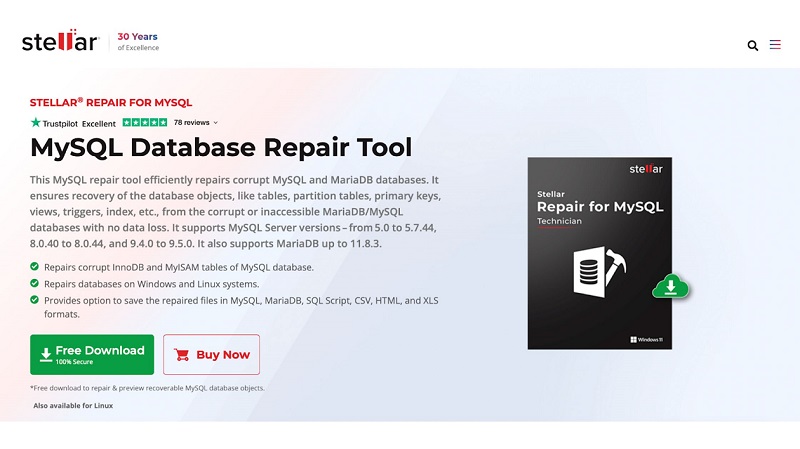
Stellar Repair of MySQL repairs broken MySQL database elements and retrieves database objects, including tables, indexes, views, triggers, and stored procedures. The software supports recovery of:
- Tables and partitioned tables
- Primary, unique, and foreign keys
- Indexes
- Views and triggers
- Stored procedures and other metadata
This tool is compatible with both Innodb and MyISAM storage engines and reads damaged database files, including frm, myd, and myi, ibdata, and .ibd files.
It can be run with MySQL Server versions 5.0-5.7.44, 8.0.40-8.0.44, and 9.4.0-9.5.0, and MariaDB databases up to version 11.8.3. Moreover, it is important to note that the program is not used to maintain the system, and is only utilized to recover files after corruption, and this is why it is applicable in a scenario that results in a server crash, forced shutdown, file system error, or failed InnoDB recovery.
Steps To Installation and Initial Configuration of Stellar MySQL Database Repair Tool
Follow these quick and simple steps to download the tool. Remember, the tool is free to download but has certain limitations.
Step 1: Download the Software
Go to the official Stellar website for MySQL Database Repair and click on the Free Download button. Your system will download the installer file.
Step 2: Launch the Installer
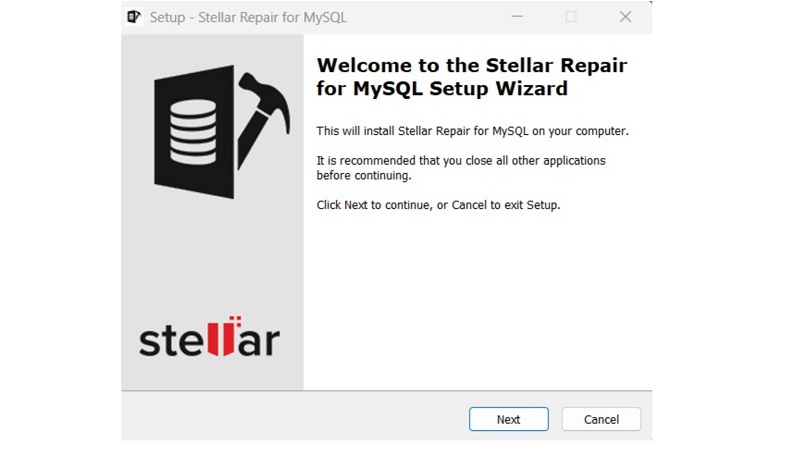
After the download is done, run the setup file to start the installation. The setup wizard consists of a welcome screen. Click Next to proceed.
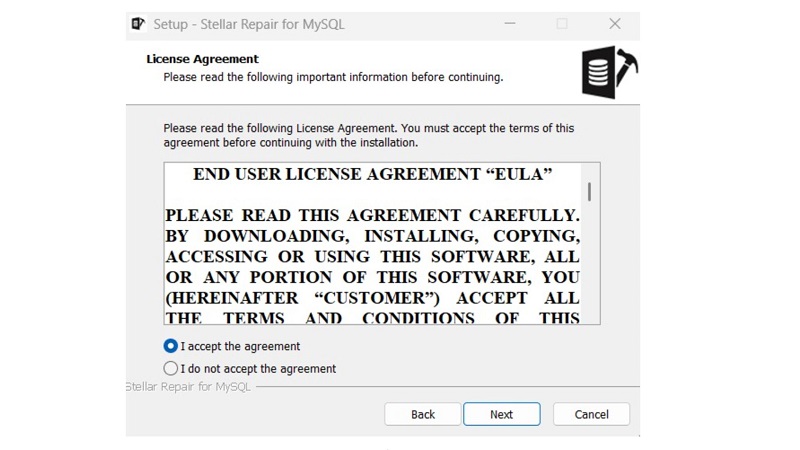
Step 3: Accept the License Agreement
Read the End User License Agreement (EULA). To proceed with the installation, choose I agree and Next.
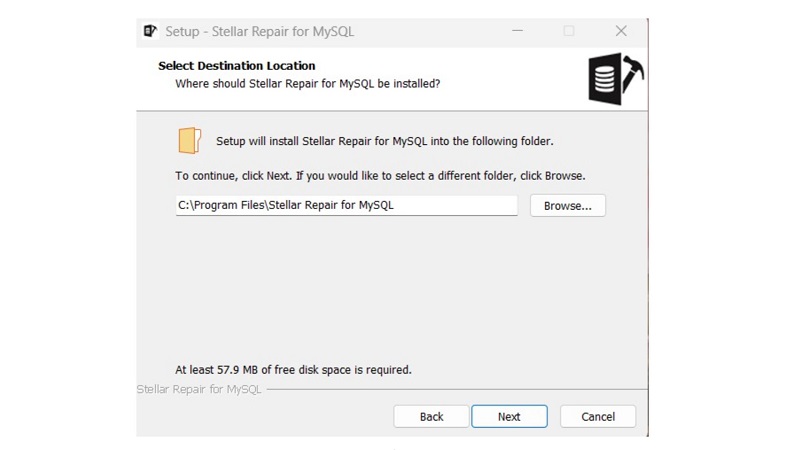
Step 4: Choose Installation Location
Choose the destination folder where Stellar Repair MySQL would be installed. The default system path is already configured, but users can also change it in case it is necessary. Click Next to continue.
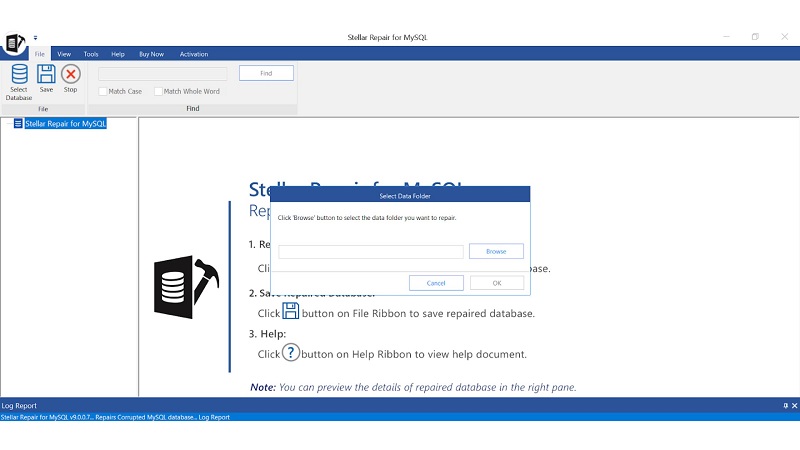
Step 5: After Installing Stellar Repair for MySQL
Select the browse option to select the corrupted database files from your C/drive/programdata/mysql /data corrupted file. Or from the corrupted backup folder from where you have to recover.
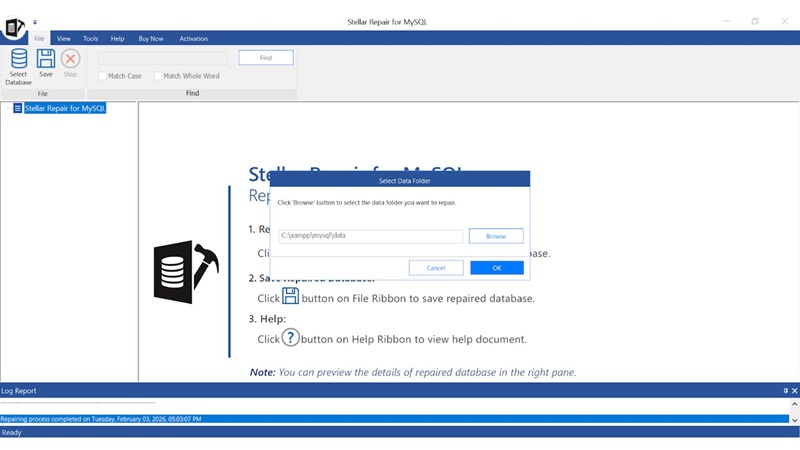
Step 6: After selecting the correct folder that you want to repair
Click ok button to proceed with the repair process to start
Step 7:
after cliclking ok button, the process will start, and you can see the list of databases that you want to repair. Click on the check box buttons for the database you want to repair and press repair
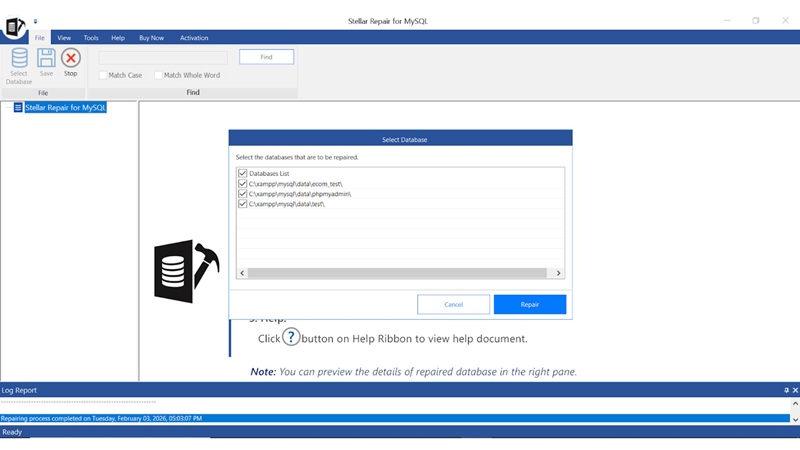
Step 8 :
Press repair, and then the process starts, and you will see a pop-up of the selected database successfully repaired
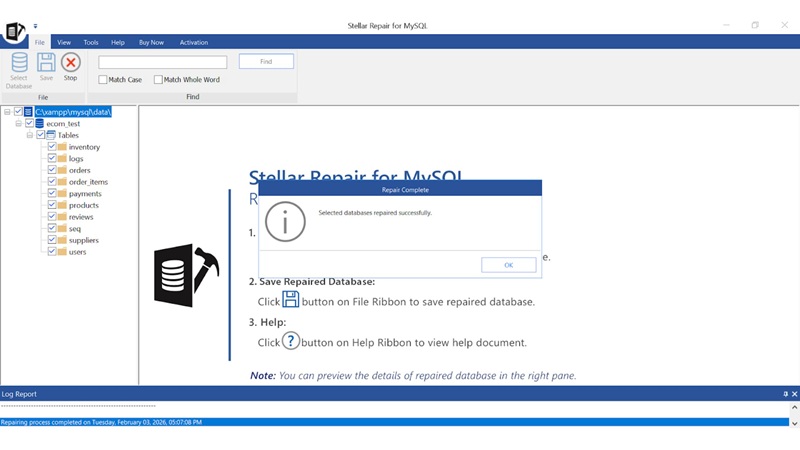
Step 9:
After completing the MySQL database repair process, the software displayed a preview of the repaired database and all its recoverable objects.
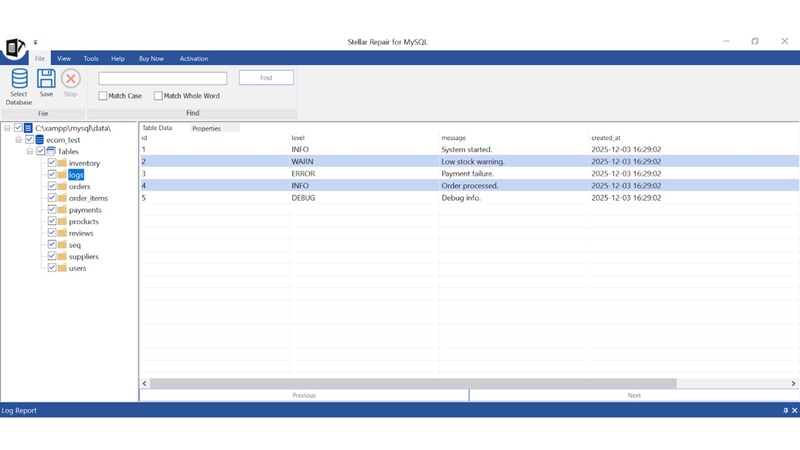
Step 10: after repairing and previewing
Save your database to the location that you want
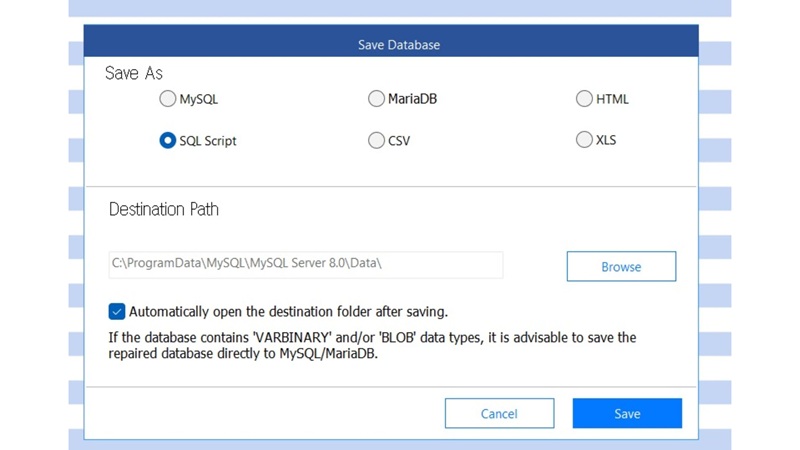
Repair Capabilities and Effectiveness
The software supports repair of both minor and severe corruption scenarios, including cases where:
- MySQL tables are marked as “crashed.”
- Innodb_force_recovery fails to bring the database online
- Index files are corrupted
- Tablespaces are inaccessible
- Structural and metadata corruption exist
It also repairs partitioned tables (range, list, linear hash) created using InnoDB and MyISAM engines, avoiding errors such as SQL error 1096 that commonly occur with manual repair methods.
Recovered tables retain:
- Original data types
- Auto-increment properties
- Default values
- Relationship constraints
For MySQL 8.x databases, the software additionally saves foreign key attributes in a text file for reference.
Recovery Output and Flexibility
Objectives of recovered databases may be saved to an operational MySQL database or exported as SQL scripts. This flexibility enables administrators to check recovered data in a controlled environment to be introduced into production systems.
There is support for selective recovery so that users can restore single tables or objects instead of databases. This would help shorten the recovery time and limit the disruption in case corruption has been restricted to certain components.
Database structures recovered are normally maintained in the correct format, and hence, they do not require a lot of manual reconstruction after recovery.
Compatibility and Constraints
Supported platforms:
- Windows 11, 10, 8.1, 8
- Linux databases created on CentOS 7, RHEL 7, Ubuntu 16.04–19.10 (repaired via Windows)
System requirements:
- 64-bit Intel-compatible processor
- Minimum 2 GB RAM (4 GB recommended)
- 250 MB free disk space
While the tool supports Linux-created databases, the lack of native Linux repair execution may require additional operational planning for Linux-only environments.
Final Verdict
Stellar Repair MySQL is a valid and specific recovery tool for corrupted MySQL databases. Its hierarchical workflow, stable maintenance engine, and previewing type of validation allow it to be used in professional IT and database administration.
Although the lack of native Linux support could restrict the options of deployment in some settings, the software works well inside its target domain. Stellar Repair for MySQL can be a viable and realistic solution for organisations depending and relying on MySQL and have a reliable recovery mechanism in case of unavailability and inadequacy of the backups.