

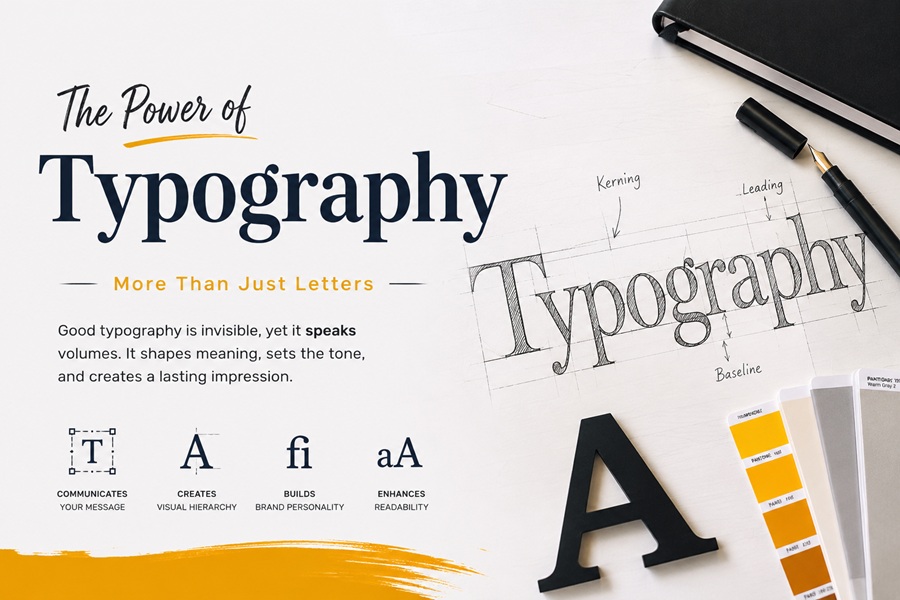
A business website can have polished visuals, a clear offer, and useful features, but still feel difficult to use if the typography is weak. Visitors may struggle to read service pages, compare prices, scan product benefits, complete forms, or understand app instructions. In digital products, fonts are not only part of the design. They shape how people move through the experience.
Typography affects readability, trust, usability, and brand memory. A good font system can make a website feel organized and professional. A poor one can make the same business look unfinished, even if the product or service is strong.
For modern companies, typography appears everywhere: landing pages, dashboards, mobile apps, blogs, help centers, pricing pages, emails, PDF reports, ads, and onboarding flows. The challenge is to choose fonts that work across all those touchpoints without creating visual noise or licensing problems.
This guide explains how typography improves business websites, apps, and digital products, with practical comparisons, real examples, common mistakes, licensing notes, and a checklist for better decisions.
Why Typography Matters in Digital Business
Digital users rarely read every word on a page. They scan. They compare. They look for proof, pricing, buttons, form fields, and next steps. Typography helps them do that faster.
A business website or app often includes:
· product descriptions
· service pages
· pricing tables
· dashboard labels
· navigation menus
· form fields
· error messages
· onboarding steps
· testimonials
· reports
· blog posts
· emails
· policy pages
· calls to action
If these elements are not visually organized, the user has to work harder. Clear typography reduces that friction.
Typography as a trust signal
Typography helps a business look reliable. A clean type system makes information easier to follow, while inconsistent fonts can make a product feel less mature.
A professional font system supports trust by making key information easier to understand:
· what the company offers
· how the product works
· what the pricing means
· which action to take next
· where to find help
· what the terms or limitations are
A font cannot fix a weak product, but it can help a good product communicate more clearly.
Match Fonts to Website, App, and Product Use Cases
Different digital products need different typographic behavior. A SaaS dashboard, ecommerce store, finance app, agency website, blog, and help center should not all use the same type strategy.
| Digital Use Case | Font Direction | Why It Works |
| Business website | Readable sans serif or restrained serif | Supports service pages, trust, and conversion |
| SaaS dashboard | Neutral UI sans serif | Helps users scan labels, filters, cards, and charts |
| Ecommerce store | Clear sans serif with strong numbers | Supports product details, prices, and checkout |
| Mobile app | UI-focused font family | Works in buttons, labels, and compact screens |
| Finance or analytics product | Sans serif with strong numerals | Reduces mistakes in data and pricing |
| Tech blog | Readable body font with strong headings | Supports long-form content and SEO pages |
| Agency portfolio | More distinctive brand font | Adds personality while keeping clarity |
| Help center | Highly readable sans serif | Makes instructions easier to follow |
A font should match the job. A display font might work in a campaign headline, but it should not be used for form labels, pricing, or dashboard data.
Questions before choosing a font
Before choosing a font for a website or app, ask:
· Will users read long content, scan UI labels, or compare data?
· Does the product include numbers, charts, pricing, or forms?
· Will the font appear in marketing pages and product screens?
· Does it work on mobile?
· Does the brand need to feel technical, friendly, premium, or practical?
· Does the font support all required languages?
· Are the license terms clear for web, app, ads, PDFs, and video?
These questions help teams avoid choosing a font only because it looks modern in a preview.
Design for Readability in Interfaces and Landing Pages
Digital typography has to work under pressure. A visitor may scan a page in seconds. A product user may need to complete a task quickly. A customer may compare pricing on mobile.
| Interface Element | Typography Priority | Common Risk |
| Navigation | Clear labels and spacing | Users miss important sections |
| Hero headline | Strong message hierarchy | The value proposition feels unclear |
| Body text | Comfortable reading | Users abandon long sections |
| Pricing table | Clear numbers and plan names | Offers become hard to compare |
| Forms | Readable labels and error messages | Users make mistakes |
| Dashboard cards | Clear metric hierarchy | Data feels cluttered |
| CTA buttons | Direct and legible action text | Users do not see the next step |
| Help text | Small-size clarity | Guidance becomes tiring to read |
Landing pages and product screens need different rhythm
A landing page is designed to persuade. A product screen is designed to help users complete a task. Typography should support both, but not in the same way.
For landing pages, typography should make the offer clear. Headlines can be larger and more expressive. Body text should explain benefits without slowing the reader. Buttons should be easy to find.
For product interfaces, typography should be quieter. Labels, filters, tooltips, tables, and status messages need consistency more than drama.
Test fonts in both environments before building a full system.
Compare Free, Commercial, and Custom Fonts
Business teams often choose between free fonts, open-source fonts, commercial fonts, variable fonts, and custom typefaces. Each option has a place.
| Font Option | Best For | Advantages | Risks |
| Free fonts | Early websites, MVPs, internal tools | Low cost and fast setup | Multiple usages, minimum styles, no clear permissions |
| Open source or open to all fonts | Public tools, developer-friendly projects | Easy access and collaboration | Still requires license review |
| Commercial fonts | Professional websites, apps, brand systems | Better family depth, support, and licensing clarity | Requires budget and license tracking |
| Variable fonts | Responsive web and product interfaces | Flexible weights and styles | Needs careful implementation |
| Custom fonts | Large brands and mature platforms | Distinct identity and long-term consistency | Higher cost and longer timeline |
For a small business website, a good open-source or commercial font may be enough. For a growing digital product with marketing pages, app screens, documentation, ads, and reports, a deeper commercial family often provides more flexibility.
Teams comparing professional type options can review independent foundries such as TypeType when they need commercial fonts, variable fonts, or families that can be tested across websites, apps, dashboards, and brand materials.
What to test before choosing a font
Use real content instead of placeholder text:
· service descriptions
· pricing numbers
· form labels
· error messages
· dashboard metrics
· product cards
· blog paragraphs
· mobile buttons
· email copy
· PDF report pages
A font that looks good in a large headline may fail in a small tooltip or checkout form.
Understand Font Licensing Before Publishing
Font licensing matters because business fonts appear in many formats: websites, apps, PDFs, pitch decks, ads, videos, social posts, dashboards, and downloadable templates. A font is software, and the license defines how it may be used.
| License Area | Business Use Case | What to Check |
| Desktop | Designers create mockups, ads, brochures, decks | Number of users and workstations |
| Webfont | Website, blog, landing page, ecommerce store | Domains, traffic, pageviews, or usage limits |
| App | Mobile or desktop software | App embedding rights |
| PDF / eBook | Reports, whitepapers, downloadable guides | Embedding permissions |
| Video | Product demos, ads, webinars | Video or broadcast rights |
| Social ads | Paid campaign graphics | Commercial advertising rights |
| Server use | Dynamic documents, invoices, or generated images | Server-side generation rights |
| Logo use | Brand identity or product logo | Whether logo use is allowed |
| Modification | Custom wordmark or edited letters | Permission to alter and rename |
Licensing mistakes to avoid
Common mistakes include:
· Applying a personal-use font in a commercial website
· embedding a desktop font online without a webfont license
· using a font inside an app without app rights
· sending font files to contractors without permission
· assuming every free font allows commercial use
· including font files in downloadable templates
· modifying a font without checking the license
· losing the invoice or license file
A licensing issue may not appear during the first launch, but it can become a problem during a rebrand, acquisition, agency handoff, or legal review.
Simple font license folder
Every business should keep a small font license folder with:
· font name and version
· source or foundry
· license file
· receipt or invoice
· approved use cases
· allowed users
· allowed domains
· app permissions
· PDF or eBook rights
· video and ad permissions
· modification rules
· renewal or subscription terms
This helps designers, developers, marketers, and legal teams stay aligned.
Learn From Custom Typeface Cases
Several organizations adopt personalised typefaces that show how large they use typography to create consistency across several touchpoints. Not every business needs a custom font, but these examples explain why type systems matter.
Google Sans
Google Sans is Google’s current brand typeface, and Google Fonts describes it as a variable font with axes for weight, grade, and optical size. The lesson for digital teams is that a flexible type system can support interfaces, marketing pages, labels, and dense information screens without losing consistency.
A smaller business may not need its own custom typeface, but it can still use the same principle: one consistent font system should support the full digital experience.
IBM Plex
IBM Plex is IBM’s corporate typeface and an open-source project. The family includes Sans, Serif, Mono, and Condensed styles, which makes it useful as an example of a broad system that can support product interfaces, code, long-form content, reports, and brand communication.
The lesson for businesses is that related font styles can create flexibility without visual fragmentation.
BBC Reith
BBC Reith, as the name suggests, was developed as a presonalised font suite for the BBC. Dalton Maag notes that the BBC faced rising license costs and struggled to maintain consistent brand identity while using multiple typefaces.
The lesson is practical: typography can reduce complexity. When a business appears across websites, videos, apps, documents, and campaigns, a consistent type system helps the brand feel more coherent.
Common Typography Mistakes in Digital Products
Many typography problems happen because teams choose fonts quickly and only test them in ideal layouts.
Common mistakes include:
· choosing a font only because it looks trendy
· using too many typefaces in one website
· making mobile body text too small
· using weak hierarchy in dashboards
· choosing unclear numerals for prices or data
· placing low-contrast text over images
· using decorative fonts in forms or labels
· changing typography between website and app
· ignoring multilingual characters
· using unlicensed fonts in commercial materials
· failing to test real content before launch
The most damaging mistake
The greatest blunder is assuming typography as decoration. In digital products, typography is part of usability. It affects whether users can read, compare, decide, sign up, buy, and return.
If the font system cannot support marketing pages, app screens, forms, dashboards, emails, documentation, and reports, the digital experience will eventually feel inconsistent.
Typography Checklist for Business Websites and Apps
Before launching or redesigning a website or app, check:
· Is body text readable on mobile and desktop?
· Are headings useful and easy to scan?
· Are prices, numbers, and dates clear?
· Are buttons readable and specific?
· Are forms and error messages easy to understand?
· Does the font work in dashboards and long-form content?
· Does it support all required languages?
· Does the license cover web, app, ads, video, PDF, and commercial use?
· Can the team find the license documents later?
· Will the font system scale as the product grows?
Fast decision table
| If You Are Building… | Start With… | Avoid… |
| Small business website | Commercial or open-source readable font | Decorative body text |
| SaaS dashboard | UI-focused sans serif | Weak hierarchy and tiny labels |
| Ecommerce store | Clear font with strong numerals | Hard-to-read prices |
| Mobile app | Commercial or custom UI font | Fonts without app rights |
| Tech blog | Readable editorial font system | Tight spacing and long paragraphs |
| Landing page | Strong heading font plus readable body | Style that hurts conversion |
| Enterprise platform | Commercial or custom type system | Fonts with unclear license terms |
FAQ
What are the best fonts for business websites?
Readable sans serif fonts most of the time work great for business websites because they support headings, body text, forms, buttons, and mobile screens. Some brands can use a serif for headings if it fits the tone and remains easy to read.
Are free fonts safe for commercial websites?
Some free fonts are safe for commercial websites, but only if the license allows it. Businesses should check web embedding, commercial use, modification, app use, and redistribution rights before publishing.
Why does typography matter in app design?
Typography affects how users read labels, complete forms, understand errors, scan dashboards, and take action. A good font system makes an app feel clearer and easier to use.
Do businesses need custom fonts?
Most small businesses do not need custom fonts. A strong commercial or open-source font family is usually enough. Custom fonts make more sense for larger brands, platforms, media companies, or products that need a distinct identity across many channels.
What is the biggest typography mistake in digital products?
The biggest mistake is choosing style over usability. If users cannot read labels, compare data, complete forms, or understand pricing, the font is hurting the product experience.